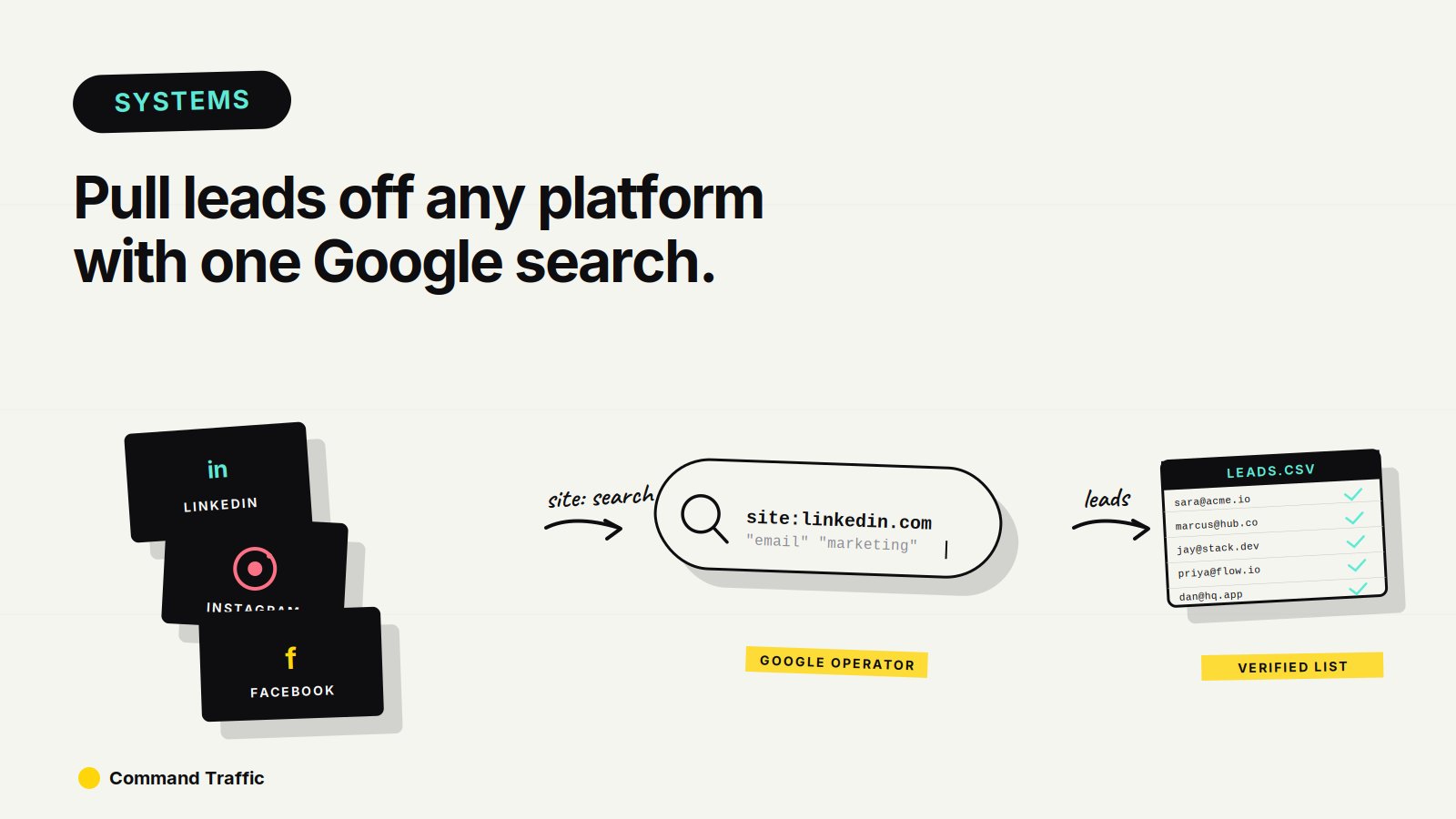
You can extract real contact information directly from social platforms using nothing but Google. No scraping software to start, no paid tools, just search logic — you tell Google exactly where to look, and it returns a list of profiles that have already published their email addresses publicly.
The internet is full of leads that were never meant to be leads, sitting in bios and contact fields nobody thought to lock down. Once you know how to ask Google for them, every platform becomes a database.
Here’s the full system — how to run the searches manually, how to extract the data, and how to skip the entire manual workflow when you want volume.
Step 1: Use Google Search Operators to Surface Contact Info
The trick is telling Google to scan only the platform you care about and only return profiles that include both your target keyword and a public email address. The syntax looks like this:
That tells Google to scan Instagram profiles only, looking for accounts that mention “beauty” and contain a Gmail address. What comes back is a list of real, public profiles in your niche with contact info already exposed.
You can run this on almost any combination of platform, keyword, and email domain:
Step 2: Turn the Results Into a Usable List
Google shows you the results, but a list of search results isn’t a list you can email. You need to extract the data into something structured.
The manual route is a Chrome scraping extension like DataMiner — point it at the search results page and it pulls the visible profile data into a CSV. It works, but it’s slow, it requires you to babysit the process across multiple search pages, and the output usually needs cleaning before it’s usable.
The faster route is to skip the manual search entirely.
Step 3: Skip the Manual Work With LeadBomb
Here’s what most people don’t realize: by the time you’ve run the searches manually, scraped the results, cleaned the data, and exported it to a CSV, you’ve already burned an hour on what should be a thirty-second job. The whole point of using Google operators is to extract leads efficiently — but doing it manually defeats most of the efficiency.
LeadBomb automates the entire workflow end-to-end. You select the site you want to scour (Instagram, LinkedIn, Facebook, anywhere), add your keywords, and the tool runs the searches, extracts the contacts, and delivers them as a clean CSV, JSON, or TXT file. No browser extension to install, no scraping pages one at a time, no manual cleanup.
This is the difference between using Google operators as a one-off tactic and running them as a repeatable acquisition channel. If you only ever need a list once, the manual route is fine. If you need fresh lists weekly — different niches, different platforms, different segments — manual stops scaling almost immediately.
Try LeadBomb — pull a lead list in 90 seconds →Step 4: Put the List to Work
However you pulled the list, the use cases are straightforward. You can email the contacts directly with cold outreach. You can upload the list to Facebook or Google Ads to build lookalike audiences off real, niche-specific data instead of broad targeting. You can segment the contacts by platform, role, or intent and run different sequences against each segment. You can layer the list into a CRM and run multi-touch campaigns across email, voicemail drops, and ads.
The Rule Most People Miss
Here’s the part of the system that matters more than any tool.
Most people think lead generation starts with tools. It doesn’t. It starts with understanding where attention already lives and how to extract signal from it. Everyone else is fighting over the same rented lists, the same ad platforms, the same saturated targeting options. This approach works because it pulls leads from places that weren’t designed to be lead sources — public bios, forgotten profiles, unoptimized contact fields.
Once you understand that, the internet looks different. Every platform becomes a database. Every search engine becomes a filter. The skill isn’t “finding emails” — it’s knowing how to think about data in the first place.
That’s why some people grab a list once and stop, and others turn this into a repeatable acquisition channel. The difference isn’t effort. It’s perspective. The Google operators are the tactic. LeadBomb is the engine that makes it scale. But neither matters until you start seeing the web as raw inventory waiting to be organized.
Once you see it that way, you can’t unsee it.
The Full Lead Extraction Stack
Two real options depending on volume:
Set LeadBomb up once and you can pull a fresh, niche-specific lead list in the time it takes to refill your coffee.
Frequently Asked Questions
Is using Google search operators to find emails legal? You’re searching publicly available information that profile owners chose to publish themselves. The legal question isn’t the extraction — it’s what you do with the data afterward. Always comply with CAN-SPAM, GDPR, and other applicable outreach regulations when you actually contact people.
What’s the best platform to scrape this way? Instagram and LinkedIn typically return the highest-quality results because users include detailed bios, niches, and contact info. Facebook works well for local service businesses. The right platform depends on who you’re targeting.
How specific should my search query be? Specific enough that the results are actually relevant, but broad enough that you get meaningful volume. Stacking three filters (platform, niche keyword, email domain) is usually the sweet spot.
Why use LeadBomb instead of just Google plus a scraper? The manual workflow involves running searches, paginating through results, scraping each page, exporting, and cleaning the data — every time you want a new list. LeadBomb collapses that into a single input form, and outputs ready-to-use CSV, JSON, or TXT files. For one-off use the manual route is fine. For anything repeatable, the math heavily favors automation.
Final Word
You can use this hack to grab contacts once and send a few messages. Or you can start seeing the web as raw inventory waiting to be organized. That shift is what separates one-off tactics from systems that compound — and once you see it, every platform looks like a lead source you’ve been walking past for years.
See more tools →